I was recently interviewed by Dean of GamingHUD, where I took the opportunity to share my views on the state of MUDs, and where I see them going in the future. You can read the interview here:
http://gaminghud.com/articles/meet-the-devs-kavir-of-god-wars-ii
GamingHUD covers mainstream video games as well as MUDs, so I'm hoping it may draw some attention from outside of the MUD community.
Sunday, 14 August 2011

Saturday, 30 July 2011
Customising icons
I'm not very artistic, but fortunately there are plenty of people out there who are, and some of them are happy to offer their work for free. Grulk recently pointed out a free album of icons that someone had created for use in games, and I think they would be superb for mud GUIs.
You can view and download them from here: http://imgur.com/a/KBQkz
They're initially black and white, but the idea is you can customise them to your theme (the top six images on the above link serve as examples of what you might do with them).
If you don't have Photoshop, there are other ways to customise images. One tool that I occasionally use is the MyTheme Online Photo Editor. It can be a bit annoying at times, but it's free and it gets the job done.
For example, supposing I want to create an icon for a magical hammer. First I copy a base icon (from the album mentioned above), then I invert the colours and save it:

Next I open the Photo Editor, click "Browse...", enter the file name, then click "Upload now!". Then I click "Effects" and select "Lightning Effect", and it generates a new icon. You can do other effects as well, including blending it with your own backgrounds:


There are now at least 17 muds supporting MSDP, 15 of them using my snippet, so I'm hoping we'll soon see more mud developers taking an interest in designing their own GUIs. Perhaps we could even create a shared repository of free base images - they're simple enough to flip, rotate and resize, and with custom backgrounds as well you can easily use the same base graphics for multiple GUIs without them looking like clones of each other.
While I'm posting anyway, here are a couple more screenshots - as you can see, I'm now using unicode (via UTF-8) for gender symbols and linedraw characters:


Atlantis and BlowTorch also support UTF-8, although the CHARSET negotiation doesn't seem to have been added to BlowTorch yet. I'm still trying to decide how best to use unicode - I've even toyed with the idea of creating a custom mud font (other muds have created their own fonts before, but I don't think anyone has created a unicode mud font before).
In other news, the latest version of Mudlet now has an autoinstaller which automatically downloads and installs my GUI when the player first connects (through ATCP, so everyone using my snippet can now use the autoinstaller for their own muds as well). This is obviously much more convenient than doing everything manually - even with clear installation instructions, I frequently have to spend time helping players get the MUSHclient plugin working, and sometimes they just give up.
You can view and download them from here: http://imgur.com/a/KBQkz
They're initially black and white, but the idea is you can customise them to your theme (the top six images on the above link serve as examples of what you might do with them).
If you don't have Photoshop, there are other ways to customise images. One tool that I occasionally use is the MyTheme Online Photo Editor. It can be a bit annoying at times, but it's free and it gets the job done.
For example, supposing I want to create an icon for a magical hammer. First I copy a base icon (from the album mentioned above), then I invert the colours and save it:

Next I open the Photo Editor, click "Browse...", enter the file name, then click "Upload now!". Then I click "Effects" and select "Lightning Effect", and it generates a new icon. You can do other effects as well, including blending it with your own backgrounds:


There are now at least 17 muds supporting MSDP, 15 of them using my snippet, so I'm hoping we'll soon see more mud developers taking an interest in designing their own GUIs. Perhaps we could even create a shared repository of free base images - they're simple enough to flip, rotate and resize, and with custom backgrounds as well you can easily use the same base graphics for multiple GUIs without them looking like clones of each other.
While I'm posting anyway, here are a couple more screenshots - as you can see, I'm now using unicode (via UTF-8) for gender symbols and linedraw characters:
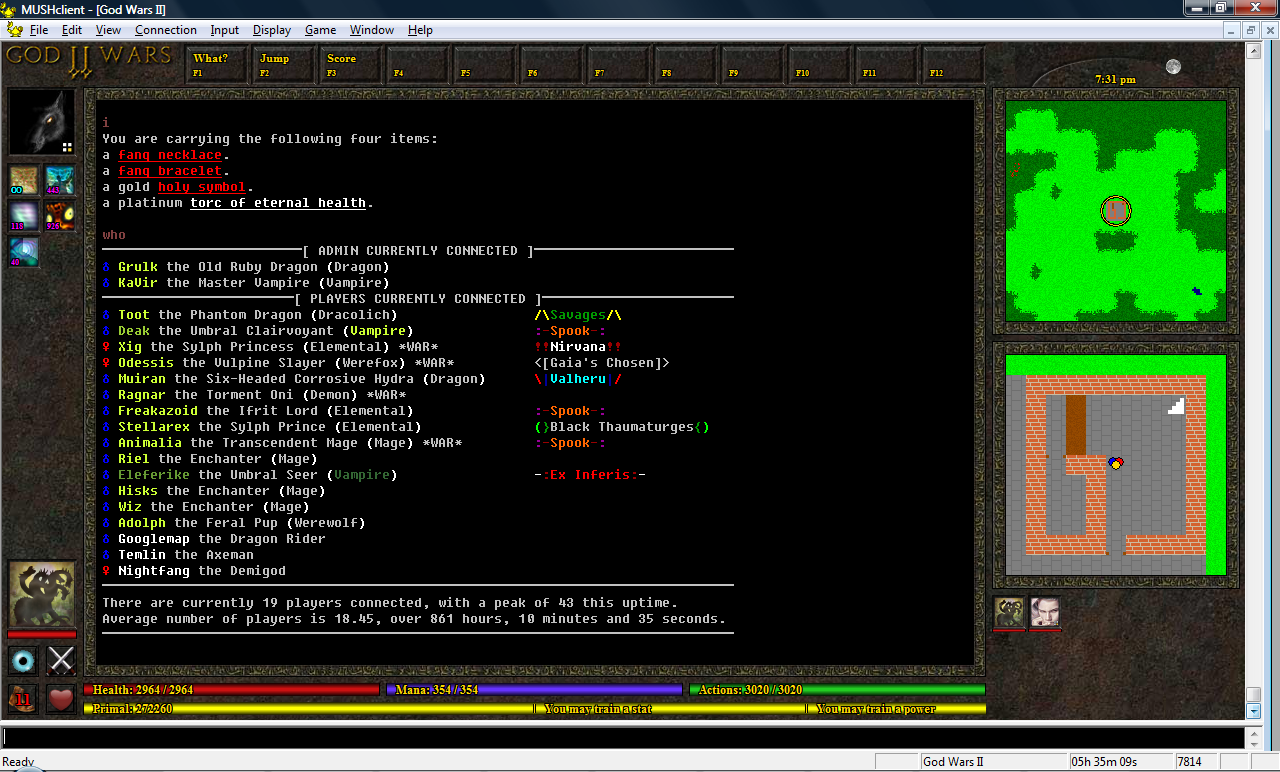
(click image to enlarge)
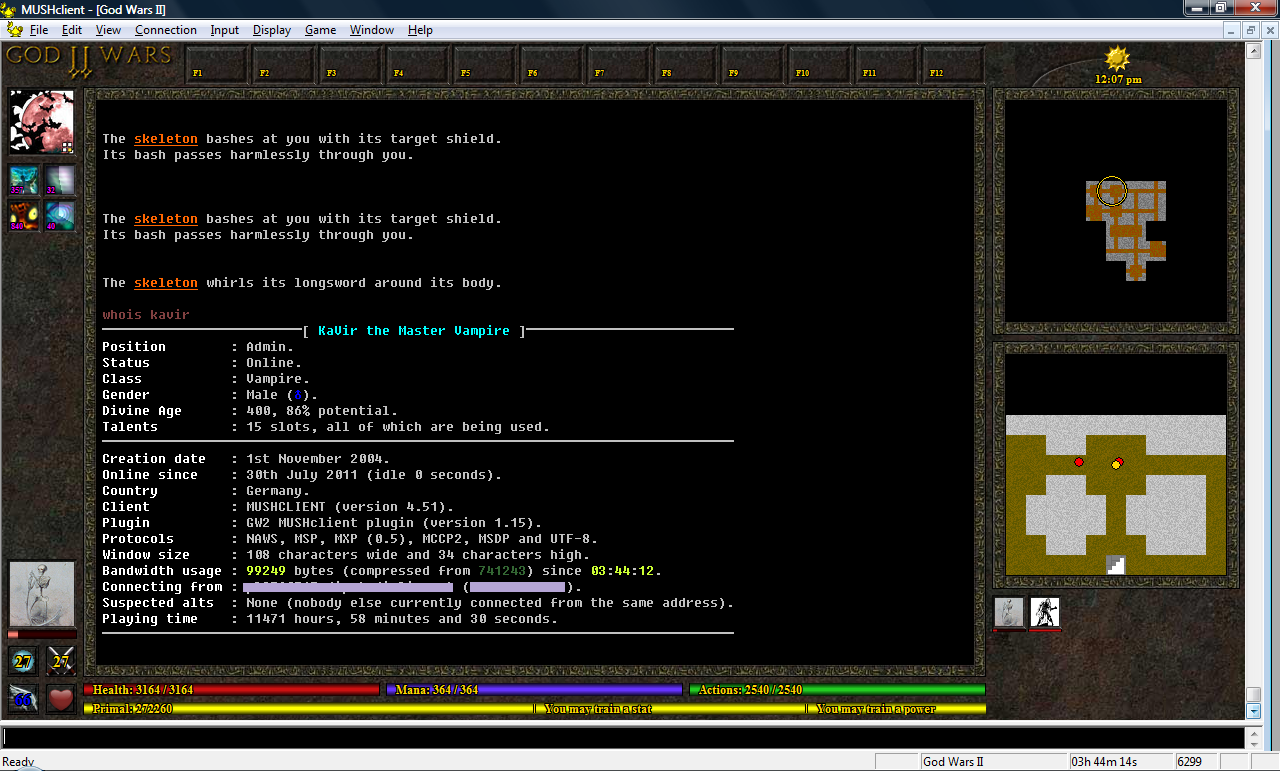
(click image to enlarge)
Atlantis and BlowTorch also support UTF-8, although the CHARSET negotiation doesn't seem to have been added to BlowTorch yet. I'm still trying to decide how best to use unicode - I've even toyed with the idea of creating a custom mud font (other muds have created their own fonts before, but I don't think anyone has created a unicode mud font before).
In other news, the latest version of Mudlet now has an autoinstaller which automatically downloads and installs my GUI when the player first connects (through ATCP, so everyone using my snippet can now use the autoinstaller for their own muds as well). This is obviously much more convenient than doing everything manually - even with clear installation instructions, I frequently have to spend time helping players get the MUSHclient plugin working, and sometimes they just give up.
Friday, 1 April 2011
GUI snippet released
After some more testing and refinement, I've decided my snippet is ready to be released into the wild. I really need to get back to working on God Wars II anyway.
Tijer's mud, the Realm of War, is already using the snippet - so I decided to create a quick and simple demo GUI for it, by adapting the plugin I'd created for Realms of Despair:

I also spent a few minutes creating another version to release with the snippet:

You can download the snippet from here: http://www.godwars2.org/download/protocol.tgz
And the plugin from here: http://www.godwars2.org/download/Generic_Plugin.zip
Tijer's mud, the Realm of War, is already using the snippet - so I decided to create a quick and simple demo GUI for it, by adapting the plugin I'd created for Realms of Despair:
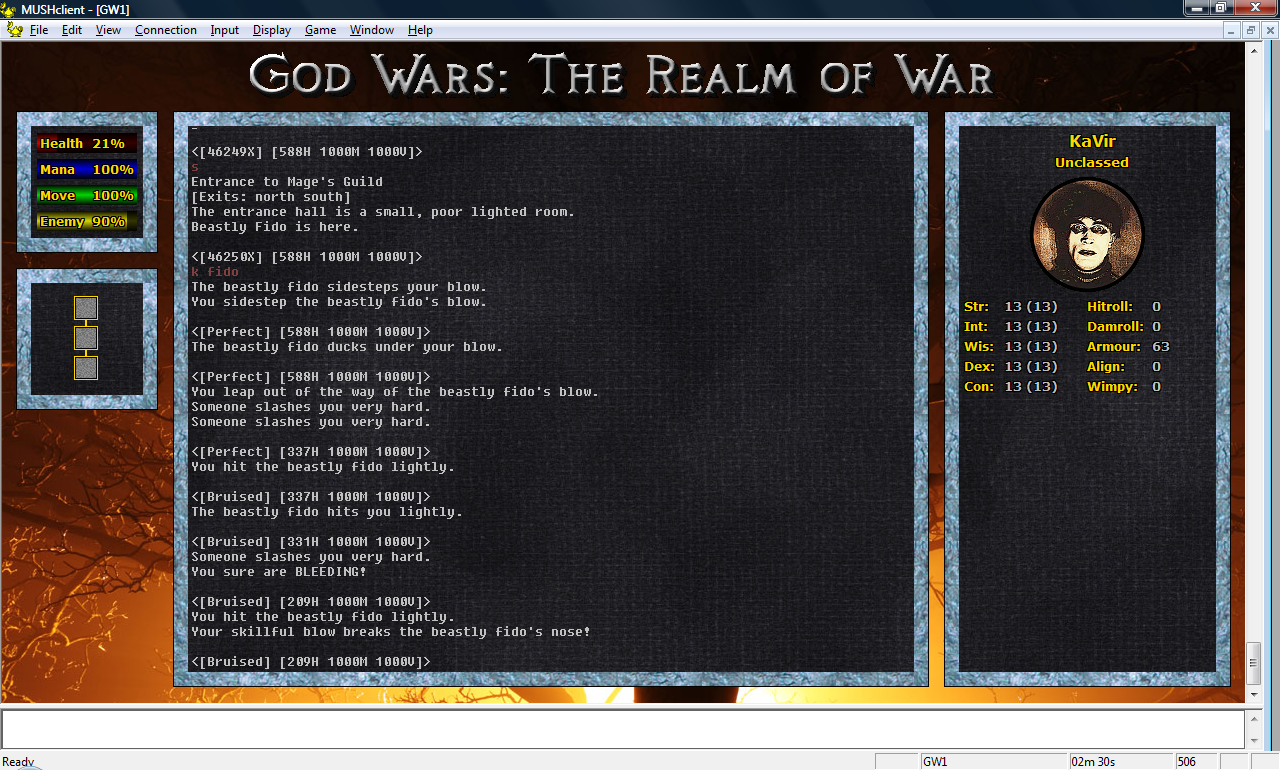
(click image to enlarge)
I also spent a few minutes creating another version to release with the snippet:
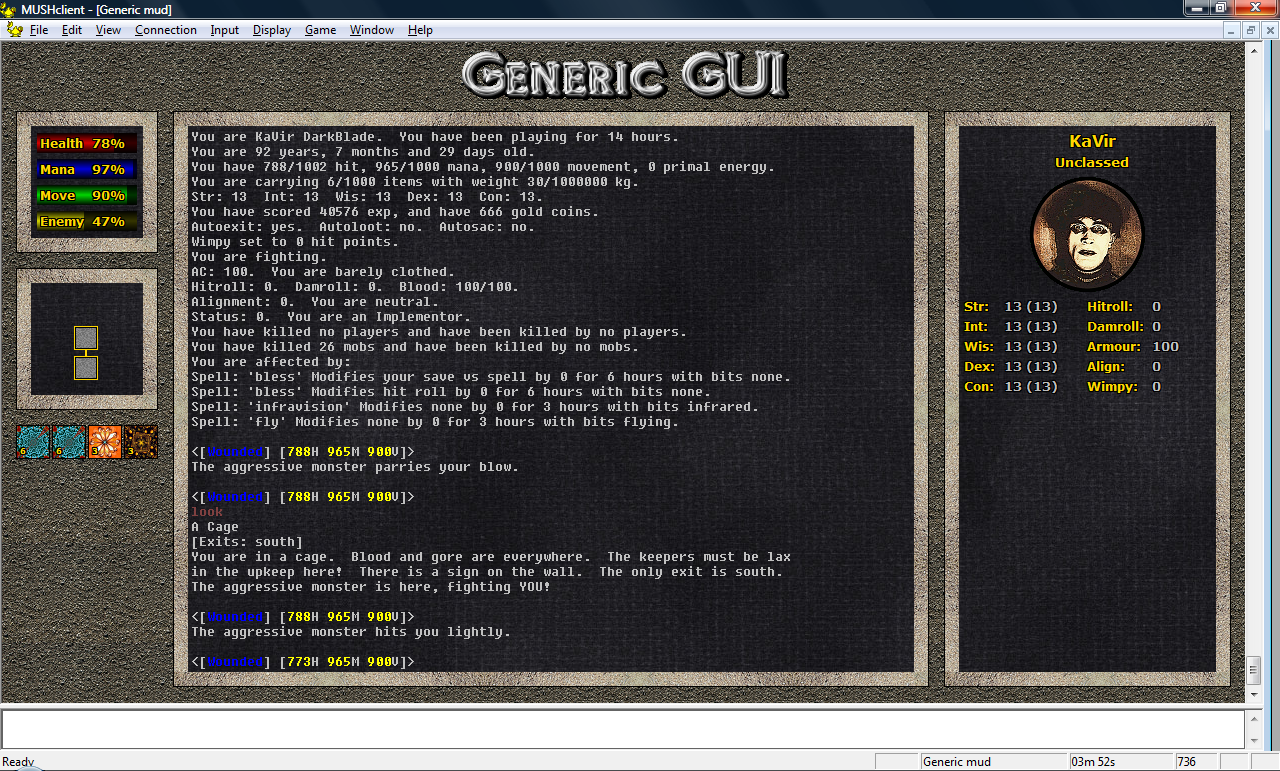
(click image to enlarge)
You can download the snippet from here: http://www.godwars2.org/download/protocol.tgz
And the plugin from here: http://www.godwars2.org/download/Generic_Plugin.zip
Sunday, 20 March 2011
Realms of Despair themed GUI
After another three weeks of working on my snippet, it's finally complete - and it includes a lot more than just MSDP. Tijer and Squiggle have been testing it on Realm of War (a GodWars mud), and have already helped me resolve a few issues, but it should really undergo further testing before being publically released.
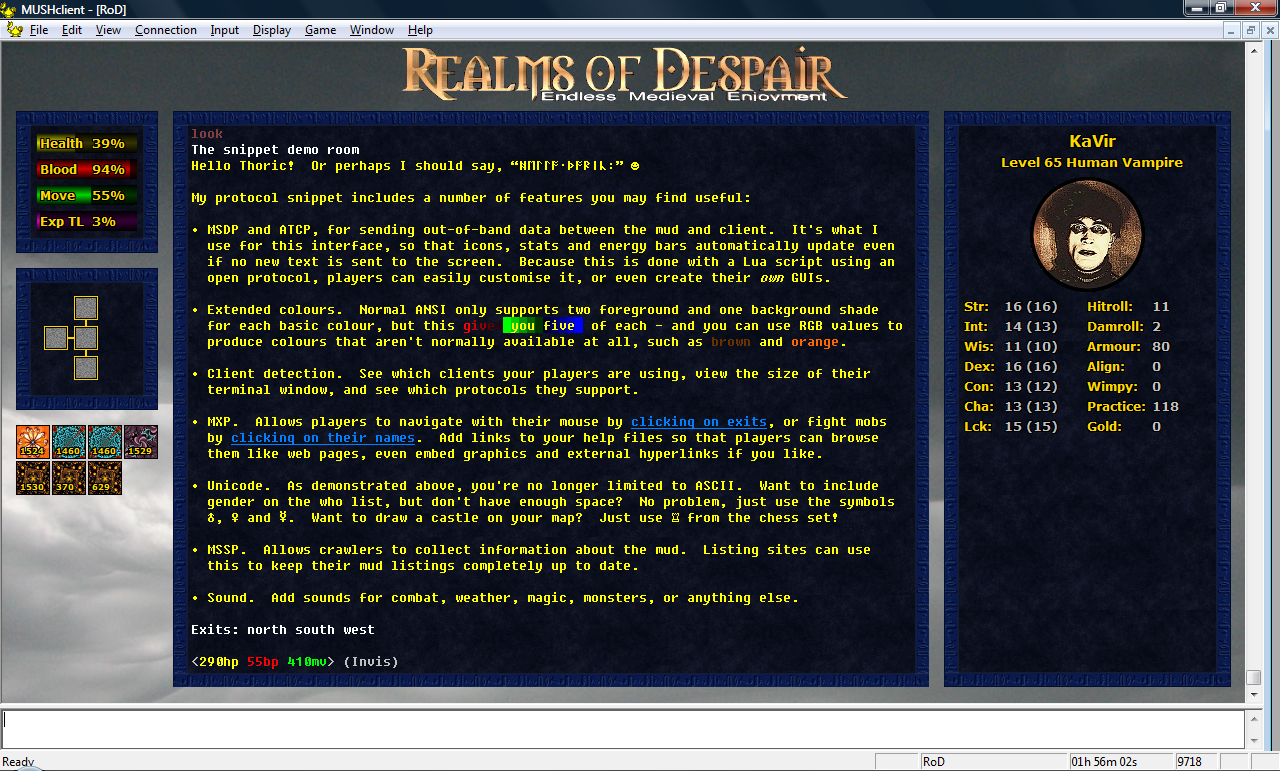
I decided to create a demo GUI for Realms of Despair to show off the features, as I'm hoping they'll join the MSDP bandwagon. It would be a huge boon for the protocol to get the backing of such a major mud, and might encourage more client developers to add support.

4Dimensions have also expressed an interest, as have a handful of other muds, so perhaps we'll see more GUIs in the near future!
I decided to create a demo GUI for Realms of Despair to show off the features, as I'm hoping they'll join the MSDP bandwagon. It would be a huge boon for the protocol to get the backing of such a major mud, and might encourage more client developers to add support.
(click image to enlarge)
Monday, 28 February 2011
Mudlet GUI: 28-Feb-2011
After several more hours playing with the links, and no progress to show for it, I decided to cut my losses and give up. They work well enough for creatures and equipment, so I'll just disable the other links and wait until Mudlet adds proper MXP support. I've too many other things that need doing, and progress on the mud is starting to lag behind, so I really can't justify any more time tinkering just add links to the help files.
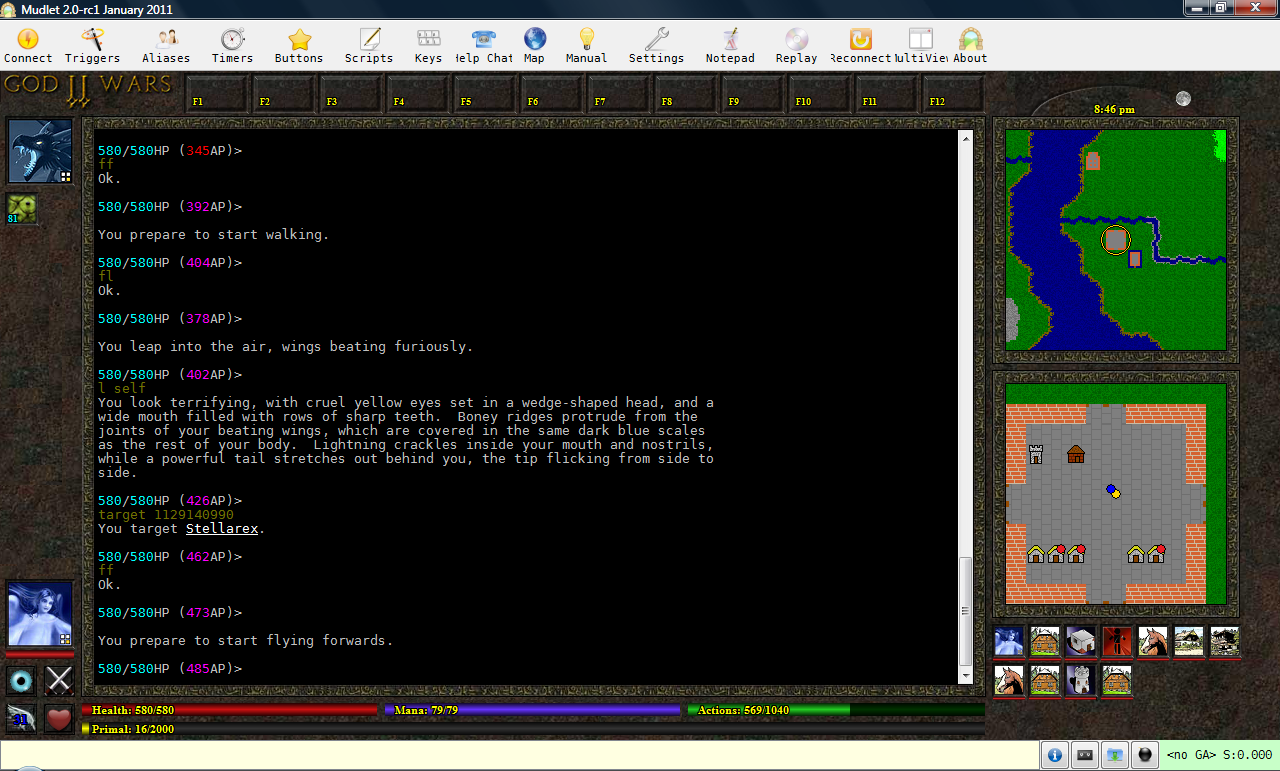
On the GUI front, I've enlarged the font on the blur, adrenaline and movement icons, to bring them more in line with the MUSHclient plugin. I've also got the movement icon correctly changing the colour of the text label based on the the movement type (walk, jog, run, etc).
I also discovered a minor bug, with the map using the yellow dot instead of the blue dot for other players - that's been fixed.
Finally, you can now target things by clicking on their miniavatar.

I've also been working on my MSDP snippet - I've got it communicating with the client, now I'm working on the variable table. It should only send variables when they change, so each player needs a table that can hold multiple variable types. This was much easier in C++, but most muds are written in C, and I want something that can be widely used.
On the GUI front, I've enlarged the font on the blur, adrenaline and movement icons, to bring them more in line with the MUSHclient plugin. I've also got the movement icon correctly changing the colour of the text label based on the the movement type (walk, jog, run, etc).
I also discovered a minor bug, with the map using the yellow dot instead of the blue dot for other players - that's been fixed.
Finally, you can now target things by clicking on their miniavatar.
(click image to enlarge)
I've also been working on my MSDP snippet - I've got it communicating with the client, now I'm working on the variable table. It should only send variables when they change, so each player needs a table that can hold multiple variable types. This was much easier in C++, but most muds are written in C, and I want something that can be widely used.
Friday, 25 February 2011
Mudlet GUI: 25-Feb-2011
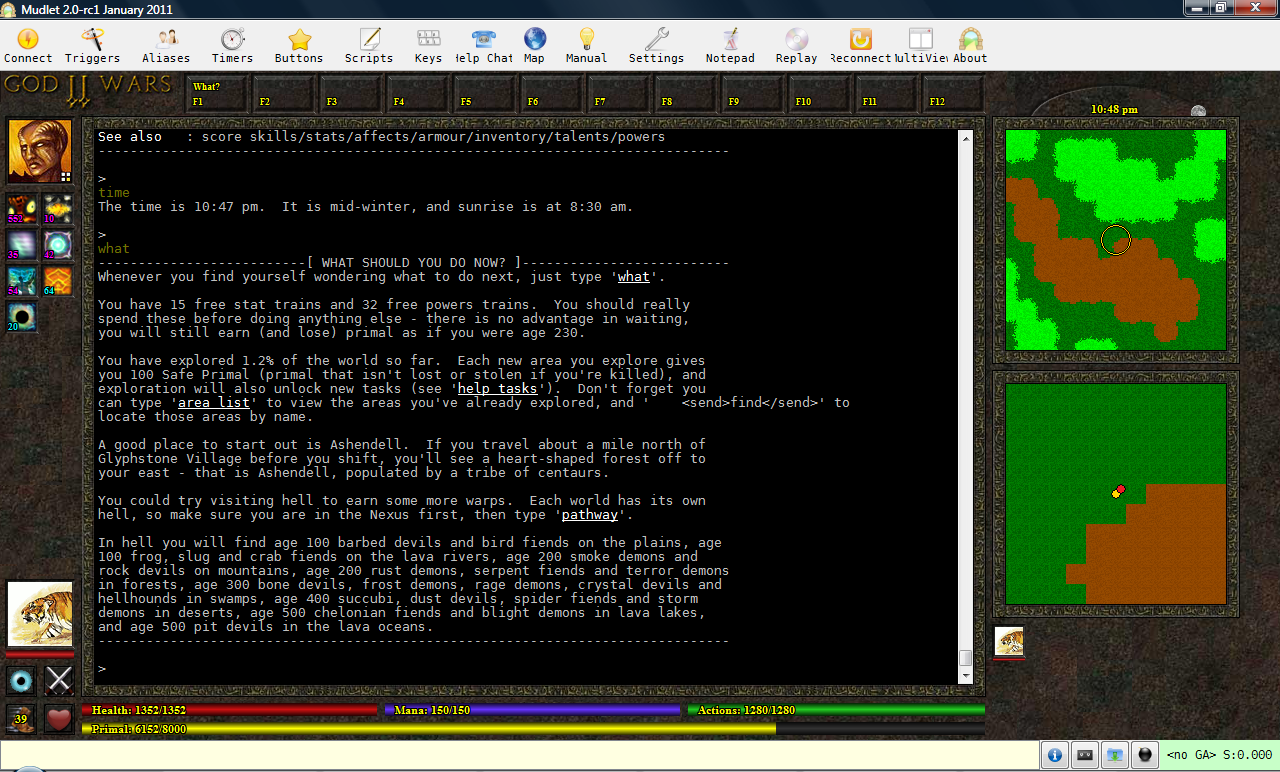
Following suggestions from Vadi and Heiko, I was able to get the moon icon to correctly rise and set behind the map. After doing that I decided to shift most of the label creation into the onConnect() function, to tidy it up a bit.
The links still aren't quite working if there are two on the same line - but at least now the first is correctly displayed:

The links still aren't quite working if there are two on the same line - but at least now the first is correctly displayed:
(click image to enlarge)
Wednesday, 23 February 2011
Mudlet GUI: 23-Feb-2011
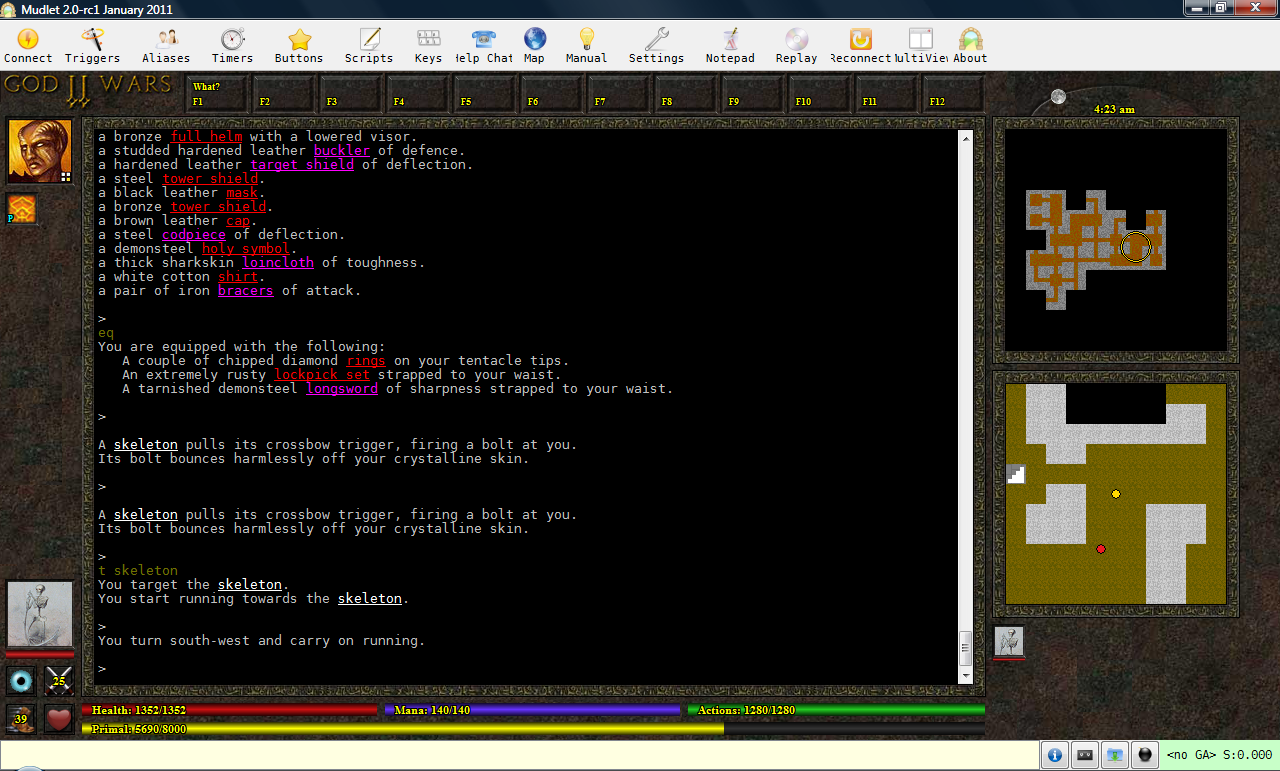
The map borders are now separate images that are drawn onto the background, as is the sunrise image (the trail that the sun/moon follows).
I've added the sun/moon icon above the maps, along with the current time. There's still a slight problem with the sun/moon being drawn over the map when it rises and sets, I need to find some way to draw it behind instead (so that it appears to rise up from under the map, and set back down below the map).

I've added the sun/moon icon above the maps, along with the current time. There's still a slight problem with the sun/moon being drawn over the map when it rises and sets, I need to find some way to draw it behind instead (so that it appears to rise up from under the map, and set back down below the map).
(click image to enlarge)
Subscribe to:
Posts (Atom)